ArchiMate Tool
An Architect without a Repository Tool is like a bookkeeper using Excel
Dynamic EA models
Dragon1 is a SaaS platform for enterprise architecture with a suite of web applications.
These applications together can be used as a generic EA Tool, but also as a specialized ArchiMate Tool. You can model in v2.1, 3.0, and v3.2 with rules enforced during the modeling or checked afterward.
Use Dragon 1 to create dynamic Architecture Diagrams, ArchiMate, TOGAF Views, Viewpoints, and UML models.
Use Dragon1 as your ArchiMate Tool for modeling beautiful static and interactive Architecture Diagrams and Viewpoints.
Example of a Gap Analysis of business architecture.
Main Benefits and Features
Dragon 1, as an ArchiMate Software Tool, offers what no other software tool offers:
Modeling your Architecture Viewpoints online
Creating Interactive Diagrams (Click Through, Tracking and Tracing, Popup Dialogs)
Publishing your views with workflow and comment features to any device
Use Robots, Drones, Technologies, and Activities as extensions in your diagrams
You see it! On Dragon1, we take the next step.
Not only can you model your diagrams. You can also publish them and have stakeholders provide feedback by adding comments to the diagram. You can even attach a workflow to your diagrams or communicate the latest updates and changes to your model, view, viewpoint, or diagram.
New technologies are already waiting on your doorstep. Sooner or later, every organization will be incorporating Robots and Drones in their products, services, and processes.
With Dragon 1, you are ready for the future. Utilize robots, drones, and technology as modeling concepts in your architectural diagrams and viewpoints.
Dragon1 Enterprise Architecture Tool. Purchase your Dragon1 PRO user license here, and later today, you will have created your first static or dynamic architecture diagrams.
Your starting point is the Get Started section in the Help and Learn.
Dragon1 Loves ArchiMate
Do you have a single XML file or a repository with many Archimate files?
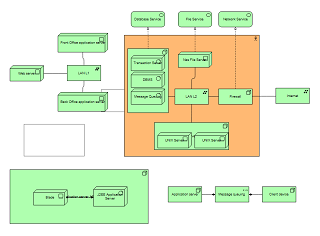
Interoperability Test #1
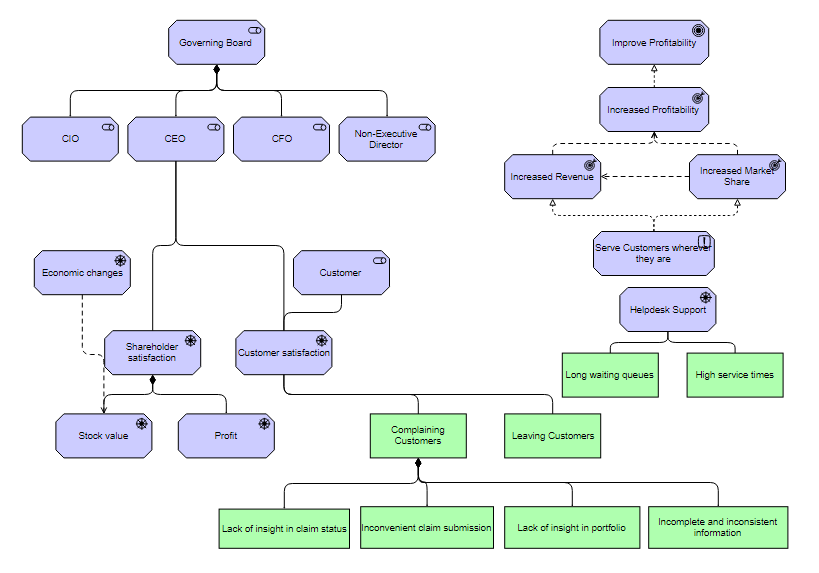
Interoperability Test #2
Why use Dragon 1 as your ArchiMate Tool?
The best EA solution for online architecture modeling
ArchiMate Tool uses Dragon 1, an online modeling & software tool, to create standard Viewpoints and Diagrams. An online software tool used by Enterprise Architects all over the world. It enables you to create both static and interactive models, and to import and export them to and from other architecture modeling tools via XMI/XML.
You can Manage with Architecture
Maybe the best feature of Dragon1 as an EA Solution is that you can manage your architecture models. You can create interactive click-through diagrams with color, figure indicators, and pop-ups showing background information. With this, you can turn your EA diagrams into Tablet PC report views.
About ArchiMate
ArchiMate is an open and independent modeling language for Enterprise Architecture managed by The Open Group. It supports the design, analysis, modeling, and visualization of architecture in and across organizational domains, from business to applications to technology and vice versa.
The unique option is to combine pure ArchiMate with other languages and meta models like TOGAF, BPMN, and UML. You can decide what powerful parts of languages you combine into new modeling languages.
Compliant to ArchiMate 3.2
Dragon 1 smartly supports you by using versions 2.1, 3.0, and 3.2 of the modeling language, the latest version, to create the best Viewpoints and Views possible for your architecture. You can work individually and as a team to create models, views, viewpoints, and diagrams.
The platform provides the unique option of doing strict modeling and loose modeling. Strict modeling means the software prevents you from trespassing under language modeling rules. Loose modeling means the software lets you model anything you want, in any way you want, without restrictions. Afterward, you can still check compliance with the modeling language.
Dynamic Views and Viewpoints
Viewpoints and Views are important to the Archimate language. Viewpoints are defined as a point from which you are looking (a certain job or role) towards something. Views are defined as what you see when looking from a viewpoint. Examples of defined viewpoints in ArchiMate are: introductory viewpoint, organization viewpoint, business viewpoint, process viewpoint, application viewpoint, and infrastructure viewpoint.
Dragon 1 enables you to work smartly and is unique in its use of ArchiMate. You create models consisting of related data entities. Next, you define viewpoint rules. Then you apply those viewpoints and their rules to models, resulting in views. This way, the views automatically update when you change data that is part of a model. You don't draw your viewpoints and views; instead, you define and generate them.
ArchiMate Modeling Channel
Suppose you are stuck as a user. You have writer's block as an Architect. Just check out the ArchiMate modeling channel. Fellow software users have created models, viewpoints, and views and published them publicly in the channel. And maybe, in time, you will also contribute to the Dragon 1 community.
Context Sensitive Help
If you want, you are provided with help on modeling in ArchiMate. The definitions for the modeling concepts, examples of models, allowed and disallowed relationships, and examples of views and viewpoints. Everything related to the language is readily accessible with a single click.
Press the help button, and you will automatically get the ArchiMate help page related to the concept, viewpoint, or view you are busy with. Additionally, the relationship matrix and the ArchiMate metamodel, along with its extensions, are just one click away.
Architecture Repository
The Architecture Repository is the application to enter and import data and entities, and create relationships between your data entities. The Architecture Repository helps you to keep your data managed, clean, and available for modelling. Because ArchiMate is about viewpoints and views, you need extra or rich data in attributes to create (or better generate) meaningful viewpoints and views.
Diagrams with only the names of applications and processes are not that interesting. The Architecture repository enables you to add as many attributes as you like to any data entity, including photos and videos, documents and text, figures, and facts. Anything to create meaningful views in the end.
Another important feature of the Architecture Repository is the ability to extend modeling languages with shapes, rules, constraints, and roles so they fit your situation and let discussions take place at the right time by the right people on how to apply a standard.
You can import and define Modeling Language Shapes in your own Shapes Collection, new Concepts, extend the Meta Model of the Modeling Language, and store naming conventions rules.
Visual Designer
The Visual Designer is the application to create, visualize, and generate meta models, models, viewpoints, views, and scenarios. Dragon 1 works uniquely with a visualization canvas that is connected to a view, and a view is a filter of a model.
In the Visual Designer, you draw shapes on the visualization canvas, just like you are used to in many other drawing tools. But they are smart shapes.
Visual Items are like post-its that show configured shapes based on entities of data that are available in a stream flowing to your canvas. You can also set the pattern for the shapes drawn on each visual item on the canvas.
This way of working allows you to draw visualization templates that generate a view-based visualization. When the data in the model changes, you don't need to take any action to update the visualization template. Automatically, this gets updated.
Bring Enterprise Architecture into the AI era with Dragon1 AI ArchiMate
Do you want to build architectures faster, automatically discover relationships, and generate models from text or datasets? Then Dragon1 AI ArchiMate Enterprise Architect Tool is the logical next step.
This AI-powered tool understands your descriptions of business, data, applications, and technology and translates them directly into a complete ArchiMate model. AI helps you visualize dependencies, detect inconsistencies, and simulate scenarios—without manual drawing.
With Dragon1 AI ArchiMate, you accelerate the development of enterprise architectures, improve data quality, and gain faster, substantiated insights that support strategic decision-making.