

Generate A Report
Dragon1 enables you to generate reports from your data.

Screenshot Business Analyzer, Application Portfolio Management Report.
Application Portfolio Management Report (APM)
To generate an APM report:
- Go to the Business Analyzer application
- Select the predefined Application Portfolio Management Report from the list
- If you have entered Applications in the repository, you will see some figures in the report
- If applications are not documented completely, this will show up in the report, as shown in the screenshot below.
- The configuration of this predefined report can be edited. Click on the Edit Report button at the top right of the screen
- In the form that is shown, you can edit the report rules
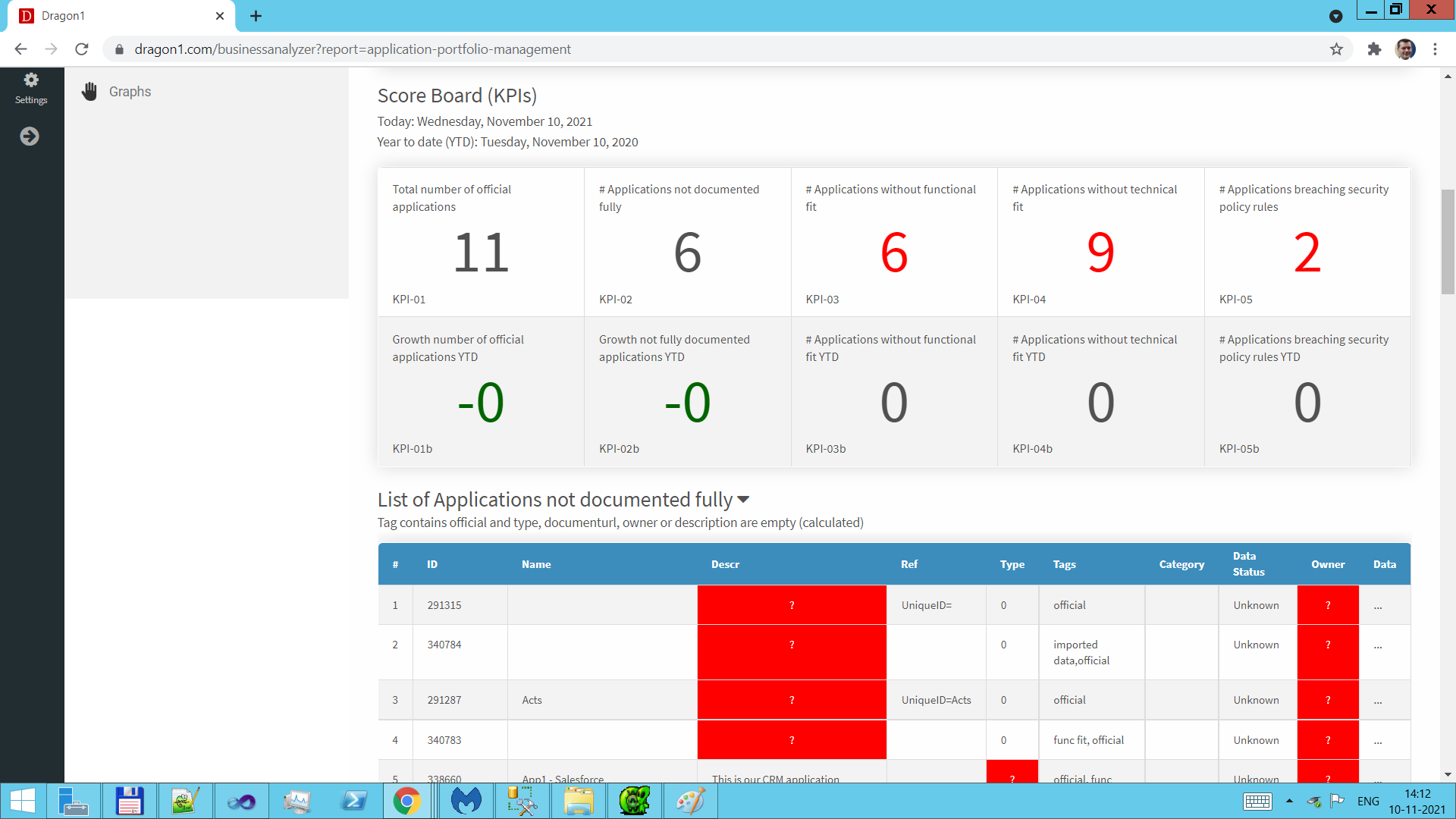
Screenshot Application Portfolio Report.
Generate a manual list report
To generate a simple manual list report:
- Select Manual Report in the menu bar at the left.
- Select List report style
- Select a Cabinet. If you do not select a cabinet, all cabinets will be used.
- Enter a subtitle and text for the report header.
- Use the screenshot below as an example.
- Click on Generate Report to see the report.
- Click on PDF to generate the report in a PDF document.
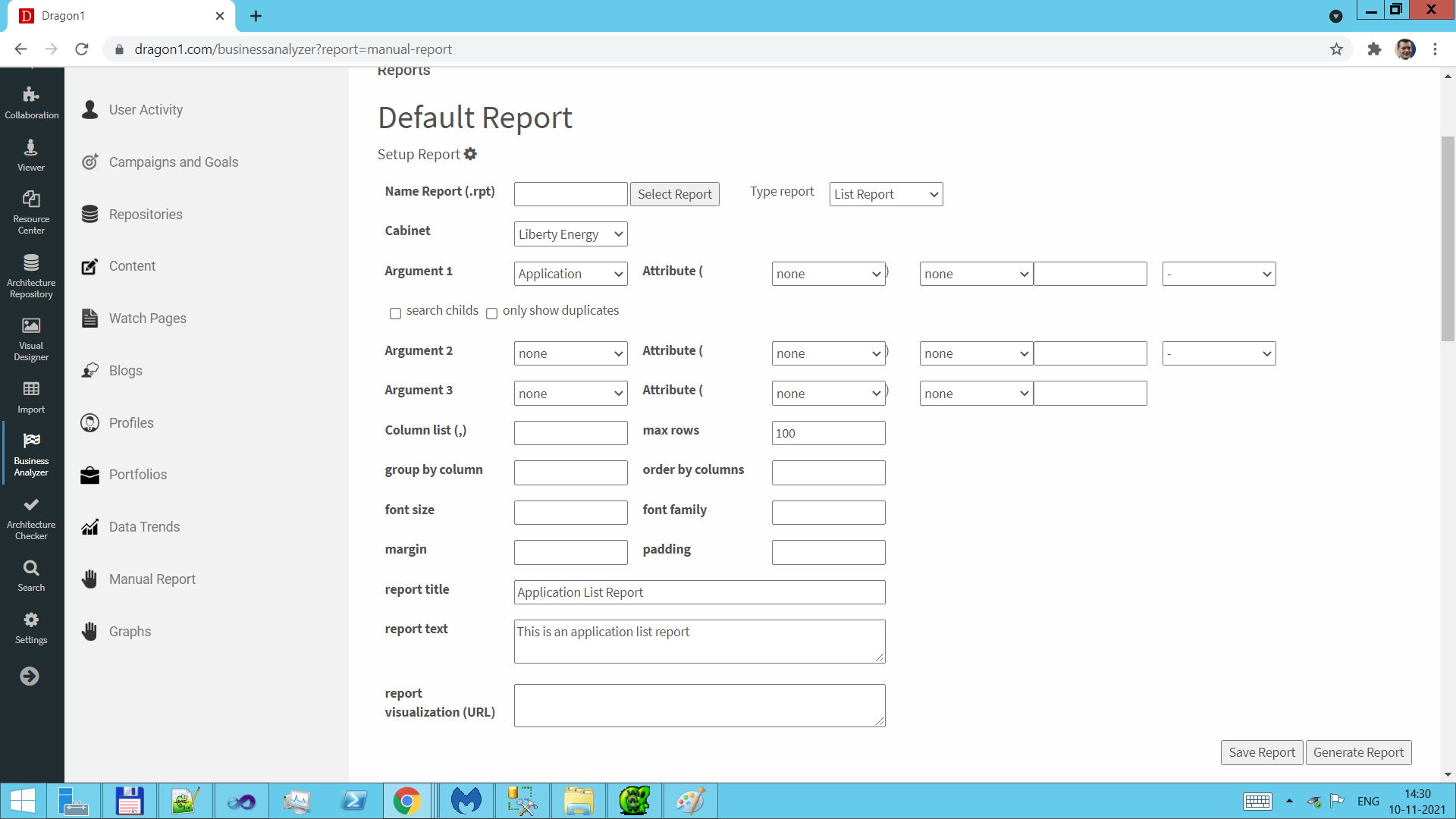
Screenshot Manual Report Setup.
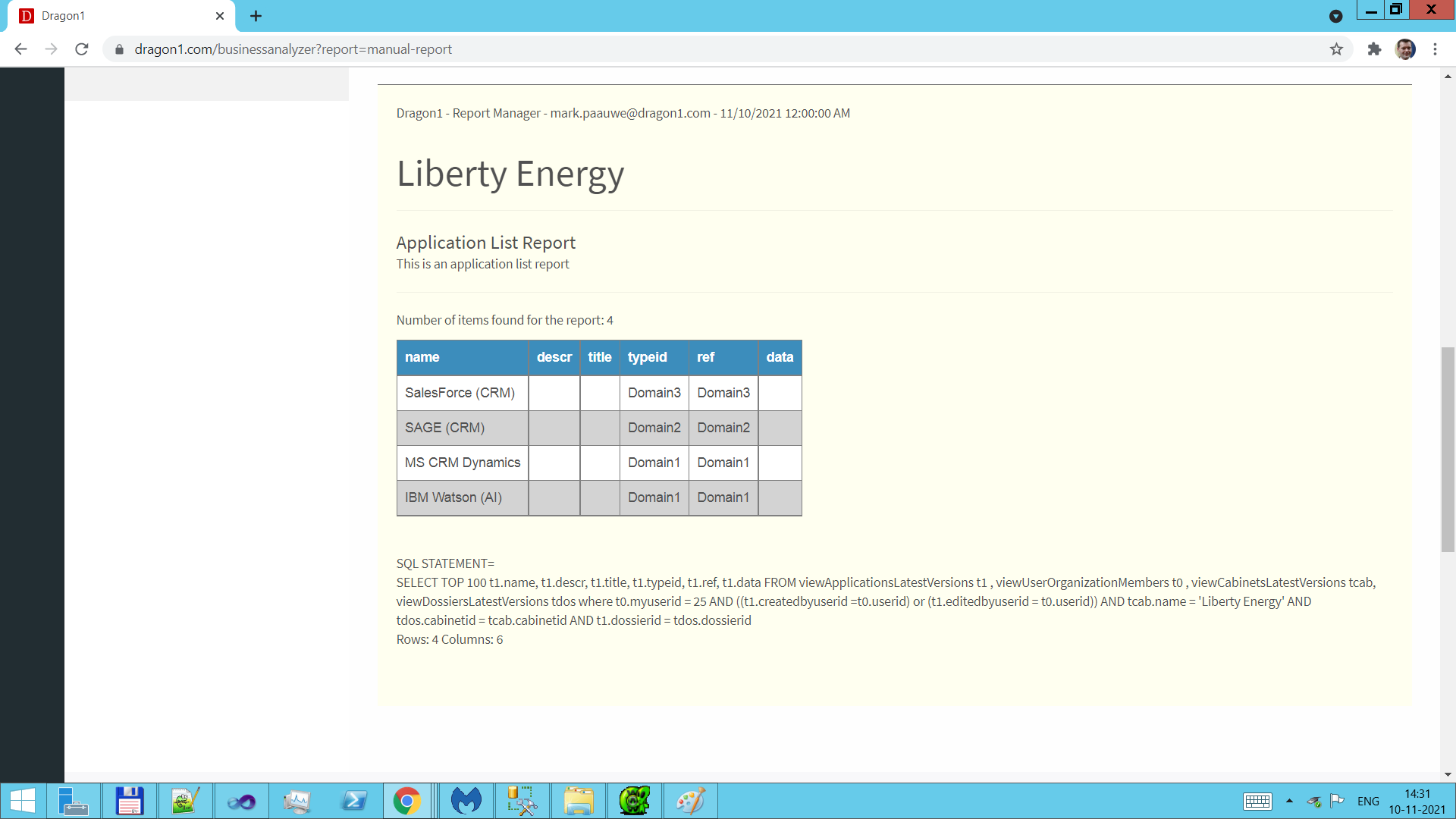
Screenshot Manual Report Result.